- Bill in any currency
- Rate changes split automatically
- Professional PDF in one click
From Tracked Hours to Paid Invoices in Seconds
Why use two tools when you can use one? Chronum seamlessly integrates professional invoicing into your tracking workflow. Generate accurate, beautiful PDF invoices directly from your recorded sessions.
How It Works
- 1.
Track
Log your sessions as usual. Set specific currencies and rates for each client.
- 2.
Generate
Open the Invoice Editor, select your tasks, and watch Chronum automatically calculate totals and taxes.
- 3.
Send
Export a professional PDF and get paid. Your session history is updated to reflect the billed status.
Track Once, Invoice Automatically
Most freelancers waste hours every month manually transferring data from a timer to an invoicing app. This process is not only slow but prone to errors—missed sessions, wrong rates, and currency conversion mistakes.
Chronum was built to solve this friction. By making invoicing a core feature, not an afterthought, we ensure that every billable second is accounted for. Whether you are working for a local client or a global partner, our billing engine handles the complexity of taxes, multiple currencies, and changing hourly rates, so you can focus on the work that actually pays.
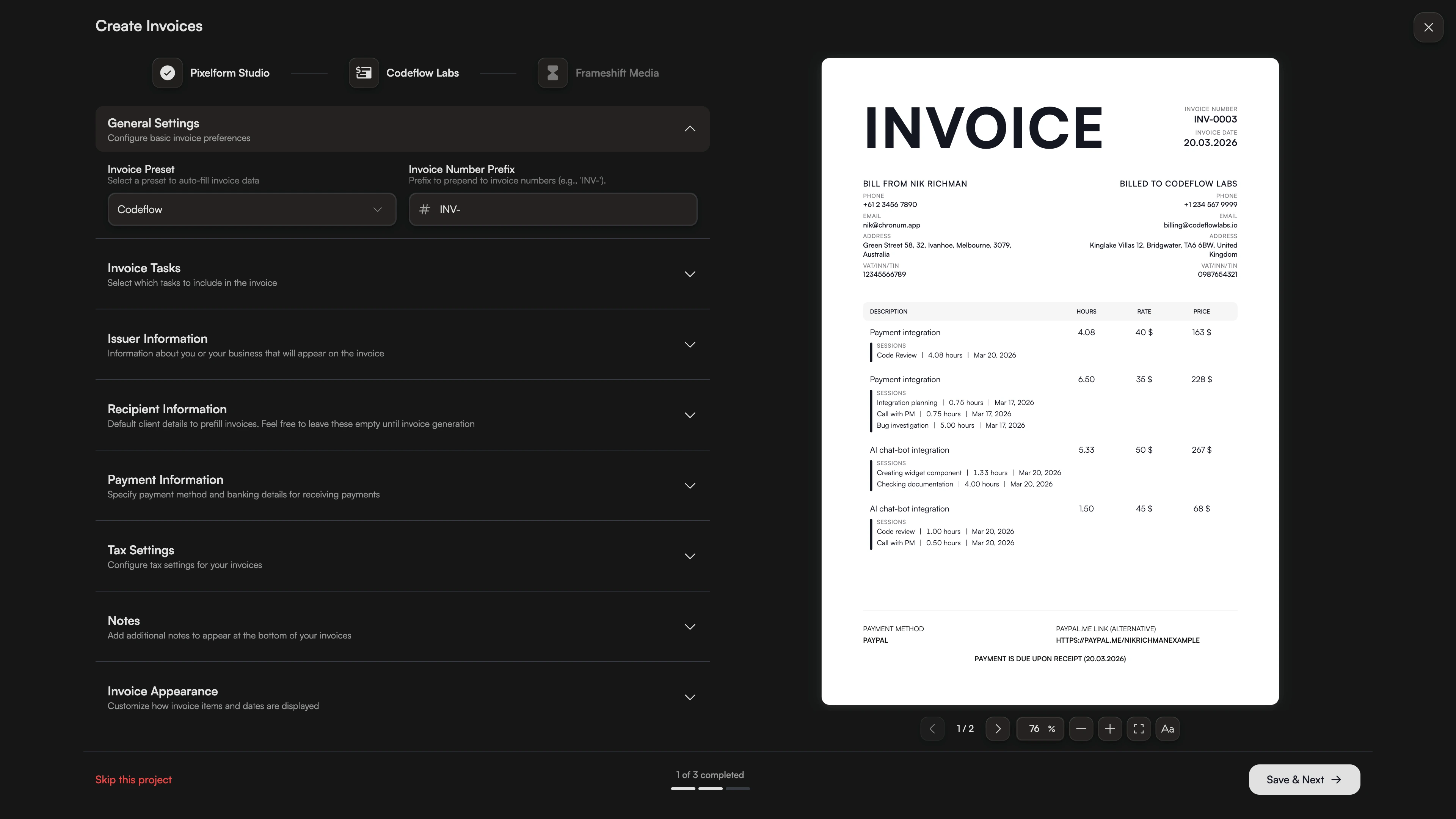
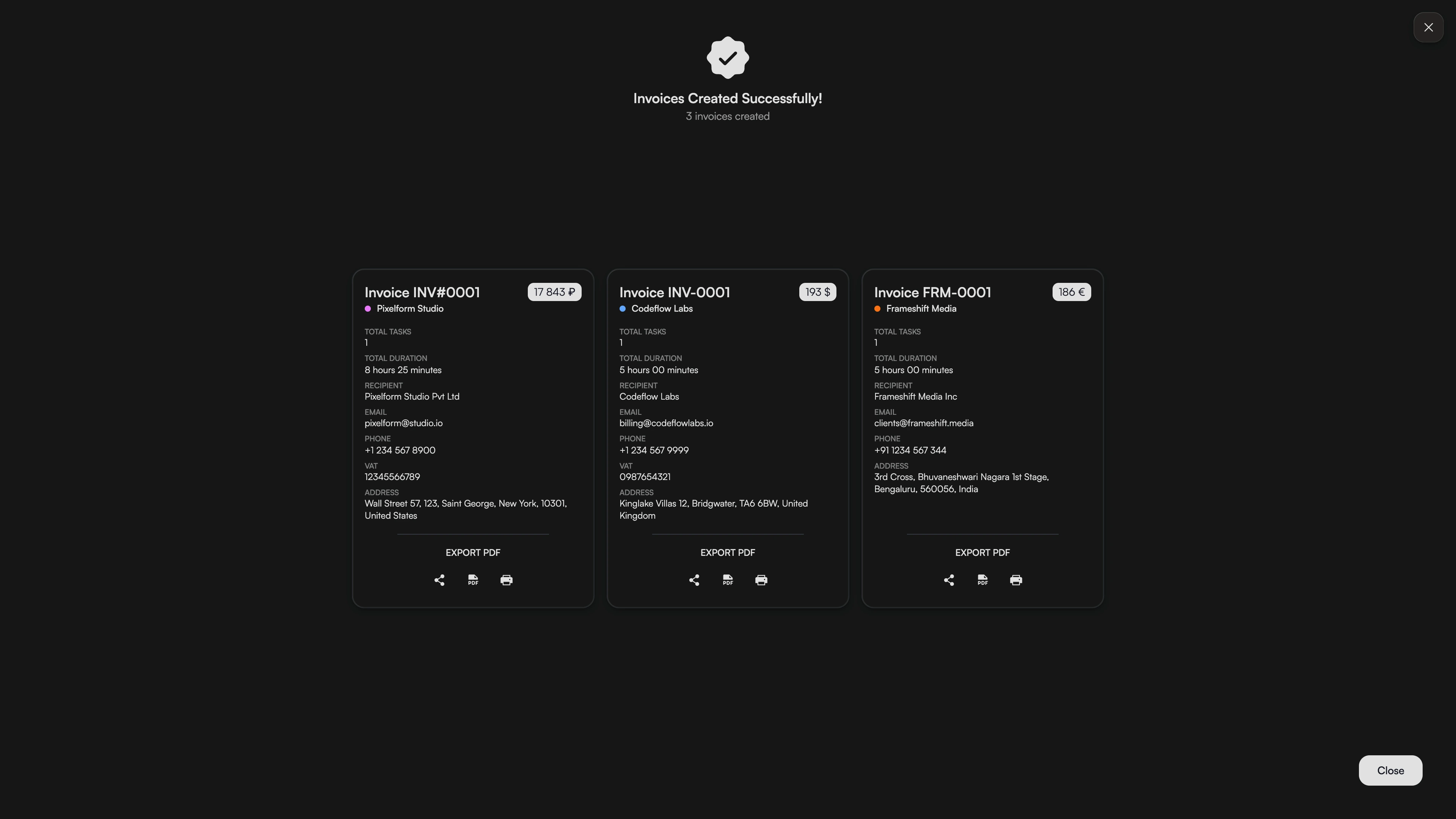
Create All Your Monthly Invoices at Once
Stop wasting time on repetitive tasks. Select multiple projects or clients and generate all your invoices in one click. Chronum automatically bundles tracked hours, applies the correct templates, and prepares everything for export.
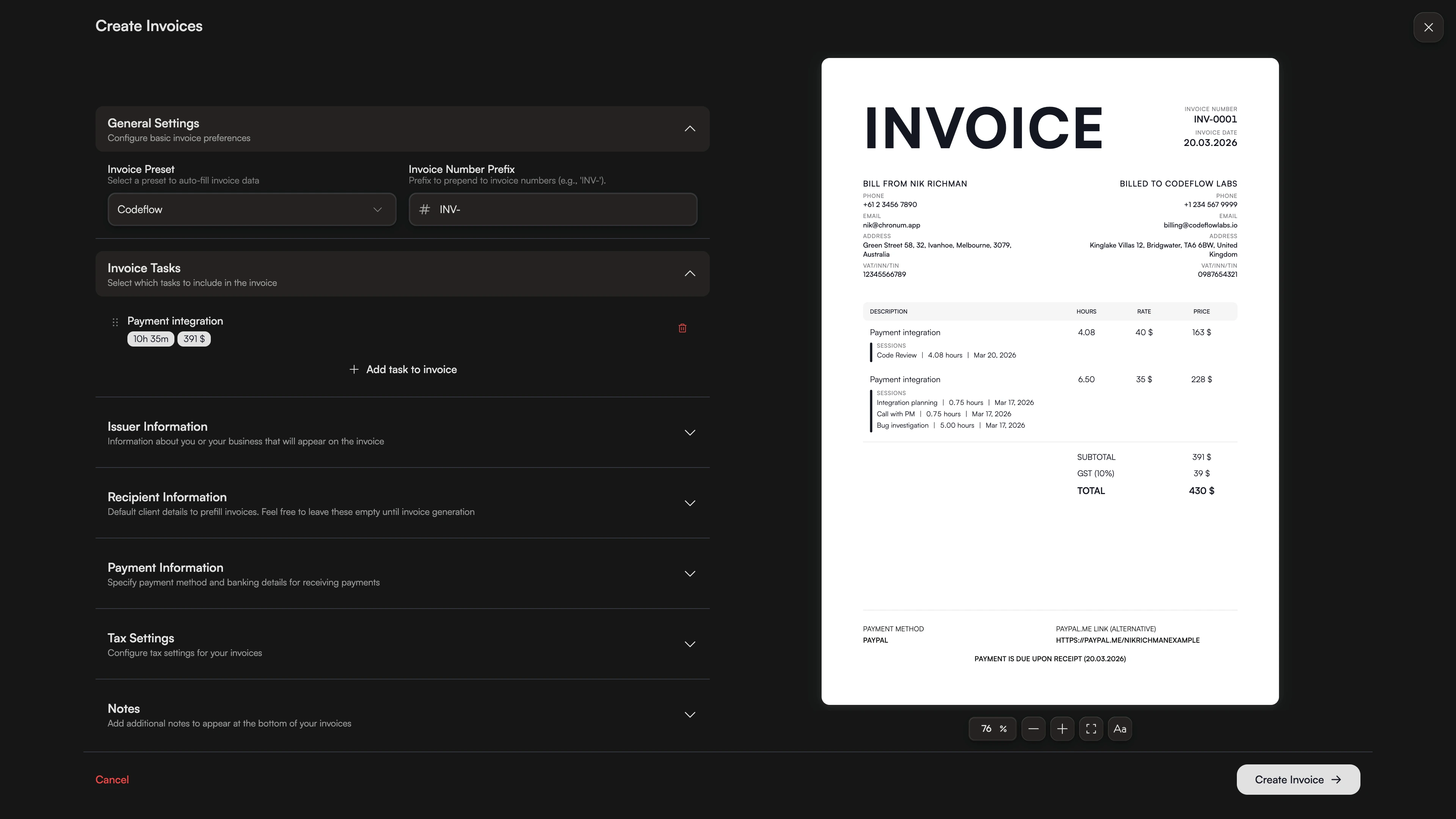
Rates That Adapt to Your Business
Don't let a mid-month rate increase break your reports. Chronum intelligently splits tasks in your invoices if the rate changed during the project. Old hours stay at the old rate; new hours apply the new one. 100% transparent for you and your client.
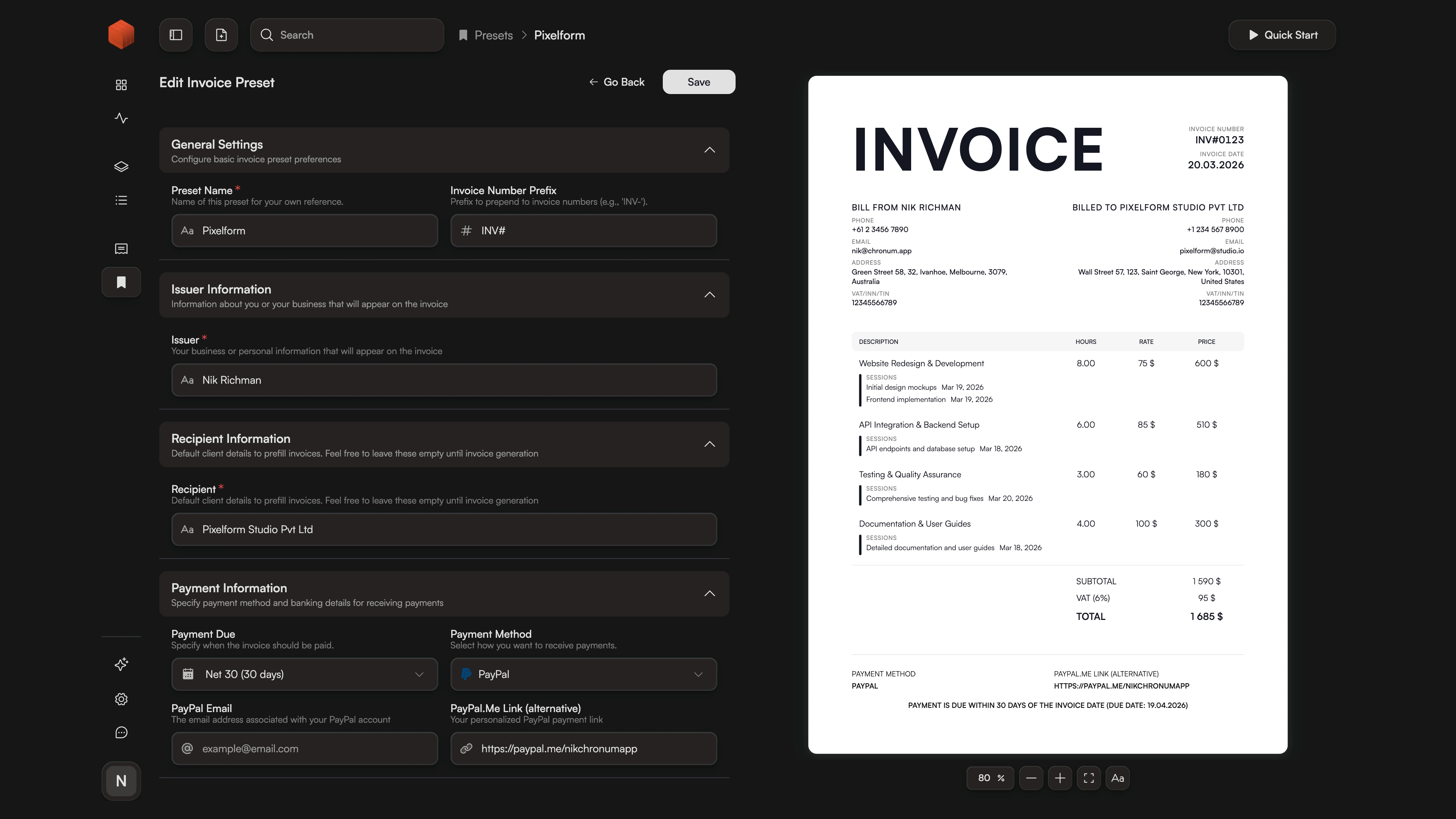
One-Click Invoicing with Professional Templates
Stop re-entering your billing details every time. Create reusable templates for different clients, including your payment info, issuer details, recipient data, and custom appearance settings. Link a template to a project, and Chronum will automatically apply it the moment you generate an invoice.
Frequently Asked Questions
Ready to simplify your billing?
Stop manual entry. Start professional invoicing today.
Need a simpler overview? If you don't need a formal invoice just yet, check out our detailed time reports to see your weekly and monthly stats at a glance.