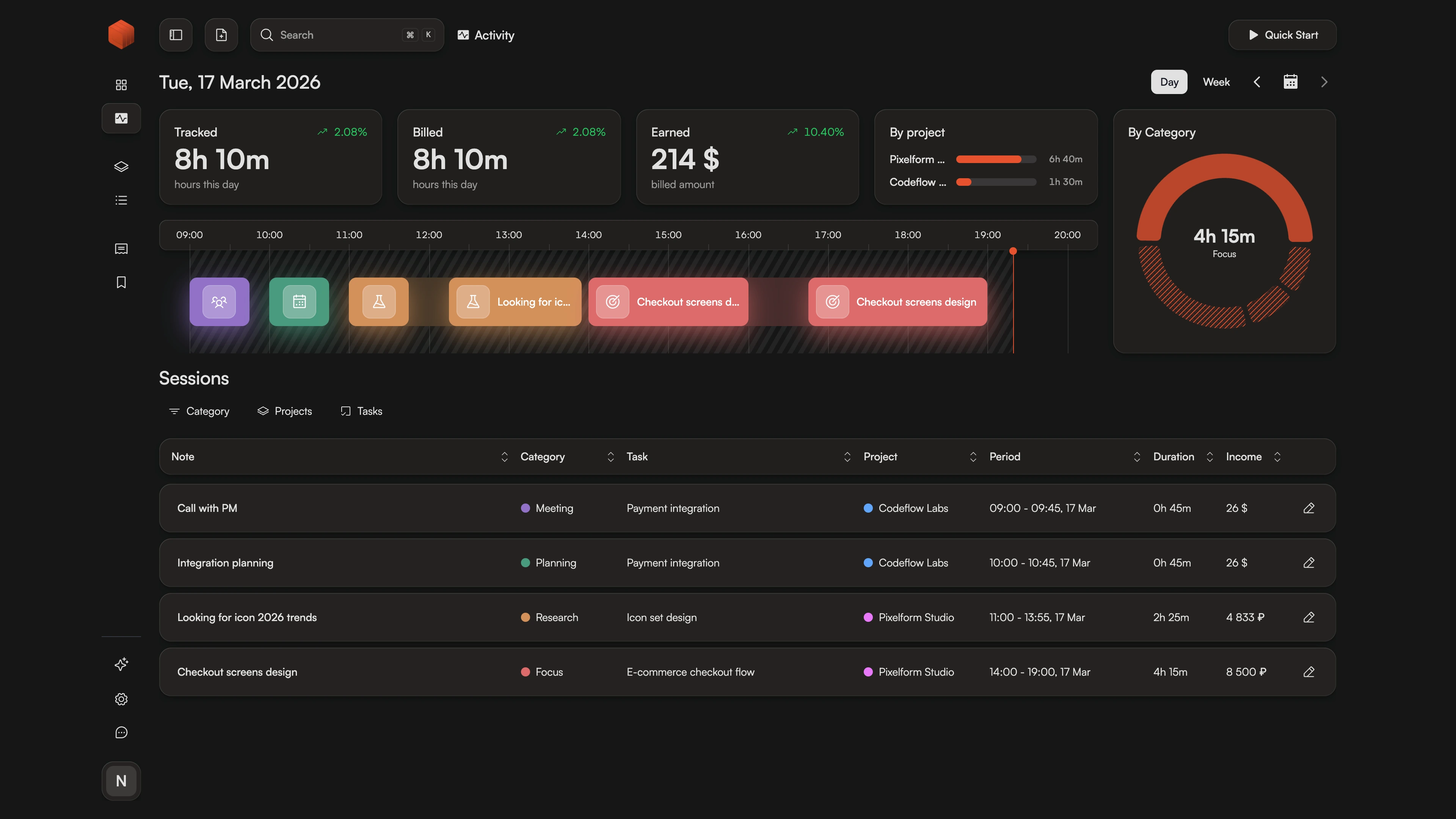
- See your day as a timeline
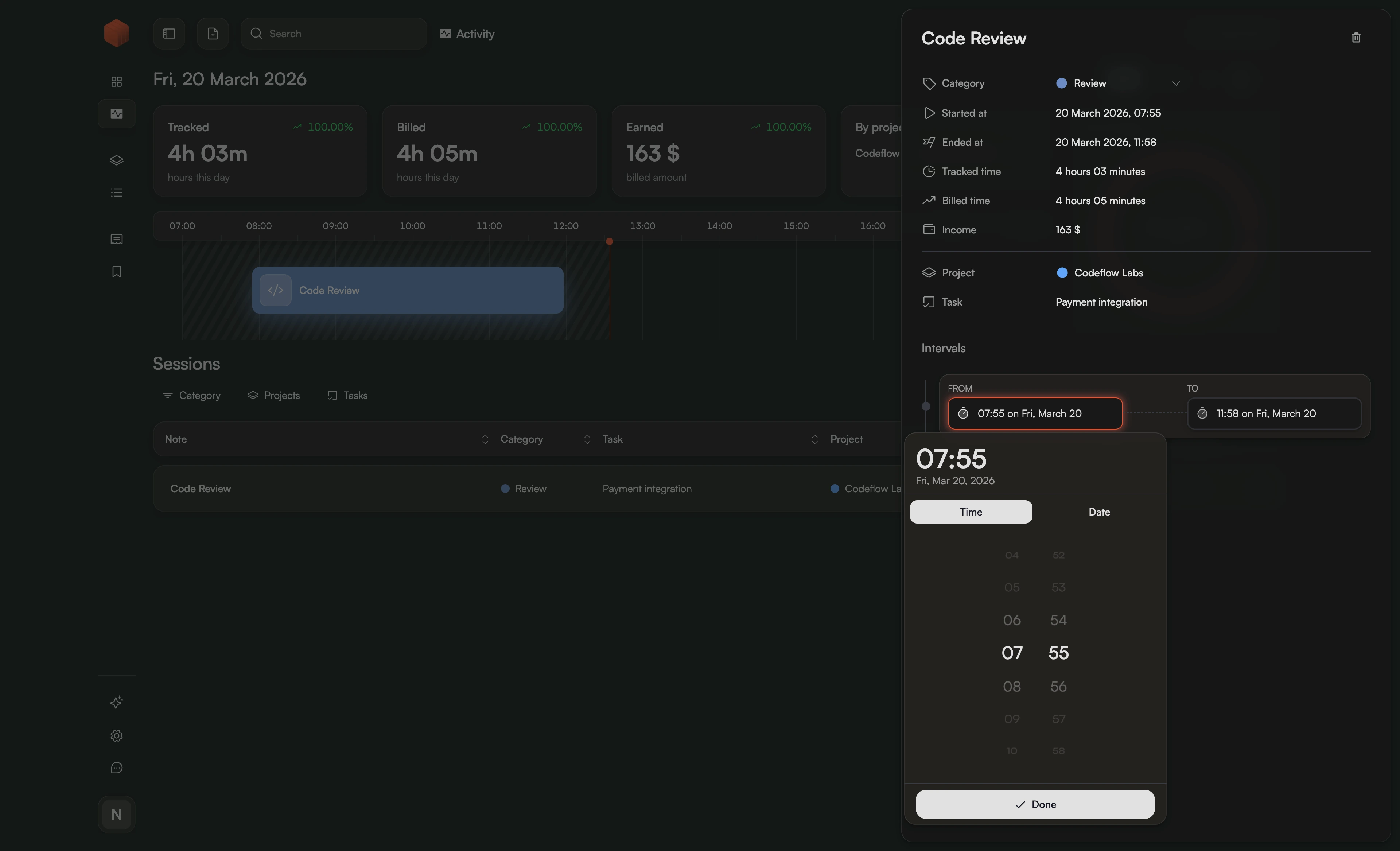
- Click to edit any session
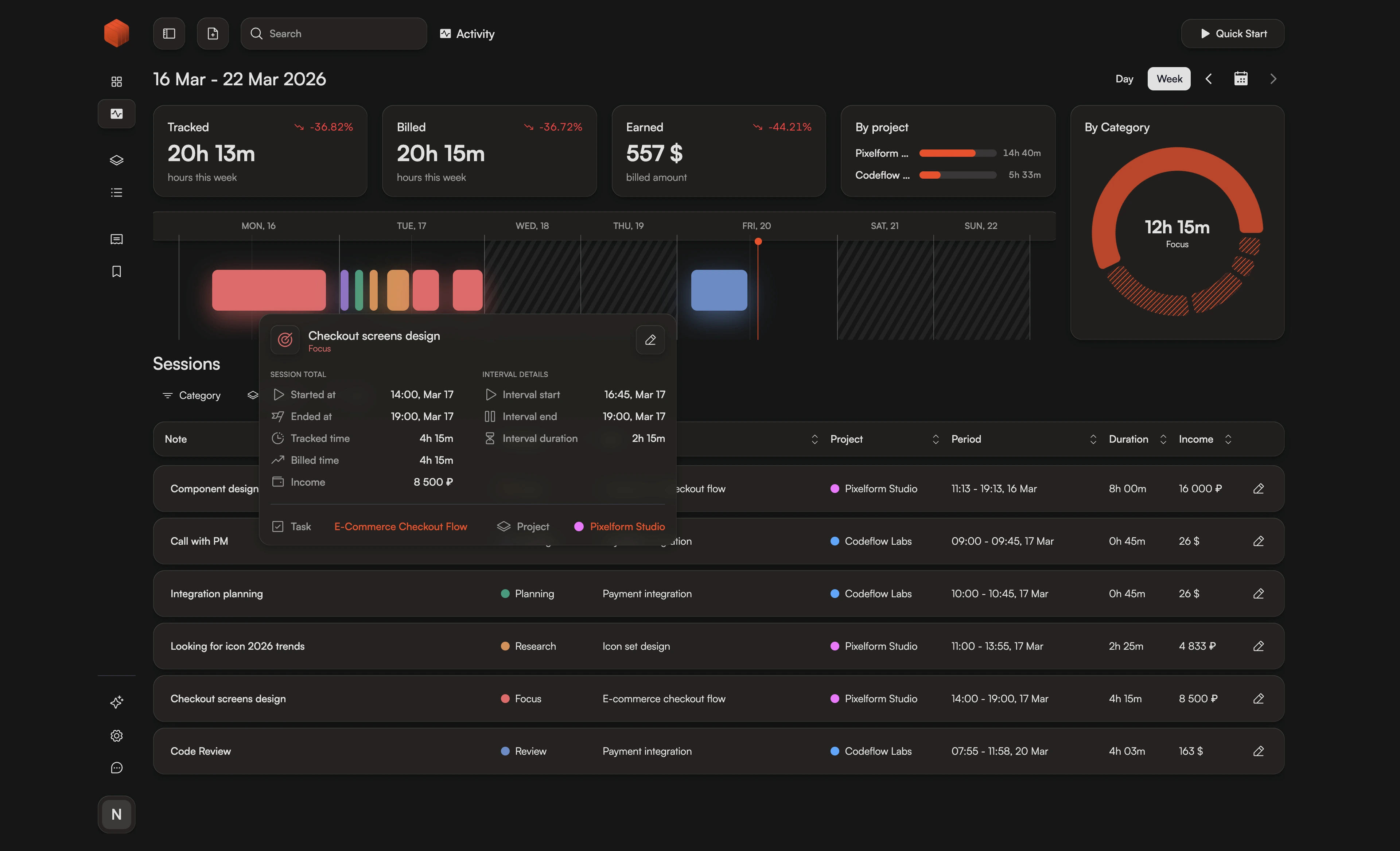
- Weekly overview at a glance
See Your Workday with a Visual Activity Timeline
Stop struggling with flat lists. Chronum's activity view turns your tracked sessions into a clear, visual stream, making it easy to spot gaps and verify your billing accuracy.
How It Works
- 1.
Track
Start your timer in the native desktop app and see the block appear on your timeline instantly.
- 2.
Verify
Click on any session to open the details and make precise adjustments.
- 3.
Analyze
Switch to the Weekly View to see your total effort across all projects and clients.
Why Lists Aren't Enough for Professional Time Tracking
Standard list views often hide the "white space" in your day. It’s easy to overlap tasks or lose track of small intervals between projects. When your data is just a series of rows, finding "missing time" feels like a chore.
Chronum's Visual Activity Timeline changes the workflow. By presenting your day as a chronological stream, we make your time tangible. You can see the transitions, the length of your deep work sessions, and the precise moments you shifted focus. This isn't just a view—it's a diagnostic tool designed to give you total confidence in your final invoices.
Click to Refine Every Detail
Never worry about clicking the timer late. Just click on any session to open the Overlay Sheet, where you can instantly update the project, adjust the rate, or use the dedicated interval inputs for perfect sub-minute accuracy.
Track Your Weekly Momentum
Zoom out to see the big picture. Chronum's Weekly View aggregates your effort across seven days, showing project distribution and total billable hours. It's the perfect tool for monitoring your progress toward income goals.
Frequently Asked Questions
Ready for a clearer view of your day?
Upgrade to an intuitive, visual way of managing your time. Better clarity, better billing.
Prefer keyboard control? Check out our Command Dialog for Cmd+K navigation.